Tutorial about images
In the context of SMLM you also have to deal with pixelated images. For instance, raw data is recorded as movies from which localization data is generated. Or widefield microscopy images are recorded together with SMLM data.
To deal with image data, various image processing libraries exist. Locan makes use of a simple image class that serves as container and adapter class for any image class from a third-party library.
import tempfile
from dataclasses import dataclass
from pathlib import Path

%matplotlib inline

import numpy as np
import matplotlib.pyplot as plt
import httpx
import skimage as ski

import locan as lc
from locan.data.images import Image
Jupyter environment detected. Enabling Open3D WebVisualizer.
[Open3D INFO] WebRTC GUI backend enabled.
[Open3D INFO] WebRTCWindowSystem: HTTP handshake server disabled.
lc.show_versions(system=False, dependencies=False, verbose=False)
Locan:
   version: 0.21.0

Python:
   version: 3.11.12
directory = Path(tempfile.mkdtemp())
Some image
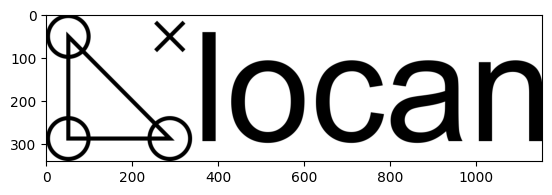
Let’s get some image data:
url = "https://raw.githubusercontent.com/super-resolution/Locan/main/docs/_static/logo_plus.png"
response = httpx.get(url)
print("Response is ok: ", response.is_success)
Response is ok: True
file_path = directory / Path(url).name

with open(file_path, 'wb') as file:
    for chunk in response.iter_bytes(chunk_size=128):
        file.write(chunk)

file_path
PosixPath('/tmp/tmpfv92ytt4/logo_plus.png')
logo = ski.io.imread(file_path)
type(logo), logo.shape
(numpy.ndarray, (340, 1154, 3))
plt.imshow(logo);
The Image class
In this example, the image is a plain numpy array. However, the image can be a more complex class with a specific interface, depending on the image library used.
Locan provides an adapter class to wrap any image class. The adapter class locan.Image provides a minimal standard interface.
Image?
Objects should be instantiated through an appropriate constructor method.
[method for method in dir(Image) if method.startswith("from")]
['from_array', 'from_bins', 'from_napari', 'from_numpy', 'from_pillow']
Image attributes
Upon instantiation locan.Image wraps the original image class and provides an array as image.data.
Any attribute request is forwarded first to image.data or - if not available - to the original images class referenced through image._image.
image = Image.from_numpy(array=logo, is_rgb=True)
image.is_rgb
True
image.shape
(340, 1154, 3)
image.size
1177080
image.dtype
dtype('uint8')
image.ndim
3
The Image data attribute
Typically, image.data should present the image as an array object that can be used with the array API standard.
If this is not the case a numpy.NDArray is provided.
image = Image.from_array(array=[[1, 2, 3], [1, 2, 3]])
type(image.data), image.dtype
ImportError: Install array_api_compat to check if is_array_api_obj(x)
The data object is not compliant with the array API standard.
(numpy.ndarray, dtype('int64'))
image = Image.from_array(array=logo, is_rgb=True)
type(image.data), image.dtype
(numpy.ndarray, dtype('uint8'))
plt.imshow(image.data);
You might want to use methods according to the array API standard also with other libraries than np.
np.sum(image.data)
np.uint64(238545861)
Alternatively, use a different method implementation from array_api_compat:
try:
    from array_api_compat import array_namespace
    xp = array_namespace(image.data)
    logo_as_float = xp.astype(image.data, np.float32)
    print(type(logo_as_float), logo_as_float.dtype)
except ImportError as e:
    print("Exception:", e)
Exception: No module named 'array_api_compat'
The Image bins attribute
To keep pixel coordinates with the image use the bins attribute:
image = Image.from_array(array=logo[:, :, 0], is_rgb=False)
image.shape
(340, 1154)
image.bins = lc.Bins(n_bins=image.shape, bin_range=[[10, 20],[100, 200]])
[edges[0:3] for edges in image.bins.bin_edges]
[array([10.        , 10.02941176, 10.05882353]),
 array([100.        , 100.08665511, 100.17331023])]
image.bins
<locan.process.aggregate.Bins at 0x7fa262286a90>
The Image meta attribute
Metadata that relates to some localization data should be kept under the meta attribute:
image = Image.from_array(array=logo[:, :, 0], is_rgb=False, meta={"comment": "Free text can go here..."})
image.meta
identifier: "492819c8-640c-4b1c-a756-de1dc7cc86f8"
comment: "Free text can go here..."
creation_time {
  seconds: 1754766916
  nanos: 260926000
}
Additional metadata should be added to the meta.map attribute or in a separate attribute:
exif = {"Model": "Some Camera", "Information": "details"}
image.exif = exif
image.exif
{'Model': 'Some Camera', 'Information': 'details'}
image.meta.map.update(exif)
image.meta
identifier: "492819c8-640c-4b1c-a756-de1dc7cc86f8"
comment: "Free text can go here..."
map {
  key: "Model"
  value: "Some Camera"
}
map {
  key: "Information"
  value: "details"
}
creation_time {
  seconds: 1754766916
  nanos: 260926000
}
Modify the Image class
To create an Image object from any other library object modify the initialization of self.data and other attributes accordingly.
Here is a contrived example:
@dataclass
class ThirdPartyImage:
    img = [[1, 2, 3], [1, 2, 3],]
    is_rgb = False
    extra_metadata = {"Information": "details"}

third_party_image = ThirdPartyImage()
third_party_image.img, third_party_image.is_rgb, third_party_image.extra_metadata
([[1, 2, 3], [1, 2, 3]], False, {'Information': 'details'})
class MyImage(Image):

    @classmethod
    def from_third_party(cls, image, meta=None):
        new_image = cls(
            image=image,
            data=np.asarray(image.img),
            is_rgb=image.is_rgb,
            meta=meta
        )
        new_image.meta.map.update(image.extra_metadata)
        return new_image
image = MyImage.from_third_party(image=third_party_image)
image.meta
identifier: "8d96ada1-6188-4fa3-ae53-9389aabb4f5e"
map {
  key: "Information"
  value: "details"
}
creation_time {
  seconds: 1754766916
  nanos: 282466000
}
image.data
array([[1, 2, 3],
       [1, 2, 3]])